top of page
Redesigned Interface Prototype
My prototype redesign focuses on simplifying the user interface of self-serve kiosks by reducing the number of pages and pop-ups. I also wanted to ensure that there was consistent language throughout the process, especially if a user needs translation. One HCI principle that I think does a lot of heavy lifting in user interfaces is "recognition over recall." Therefore, I wanted to incorporate a lot more universal icons and photos to signal to the user what they should be doing.
My design reduces the amount of cognitive load it takes to order on a self-serving kiosk by
reducing the number of steps to just 3. I also included some persistent buttons at the top
for accessibility, changing the font size, and language, which will better support elderly, disabled,
and foreign users. This redesign also focuses on increasing the size of important text, such as
the checkout button, the order screen, the payment type, and the payment instructions. This makes it clearer to the user what they should be focusing on and minimizes the confusion of what they
should do next to proceed.
Additionally, I wanted to ensure that there were persistent back and cancel buttons so that users
can recover if they make a mistake, or entirely abandon the order if they change their mind. The
result is a sleeker, simpler design that is more user-friendly to all customers.
Date
May - June 2026
Location
Seoul, Korea

01
Redesigned Interface Prototype

01
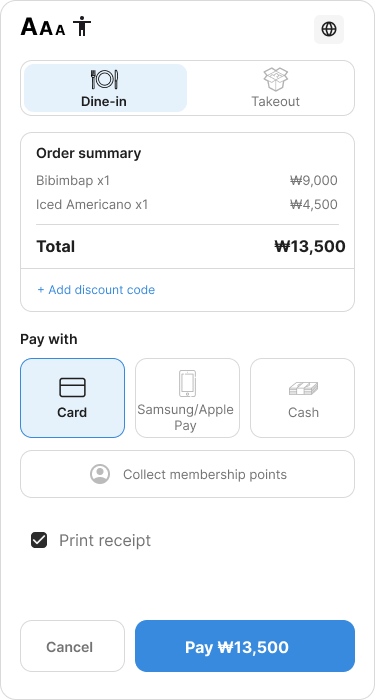
The first screen includes the accessibility and language options at the top. Instead of separating the order summary, payment type, and order review into separate pages, I simplified the process and put it all on one screen. As you can see, the interactive buttons are also bigger to accommodate individuals with impaired vision.

02
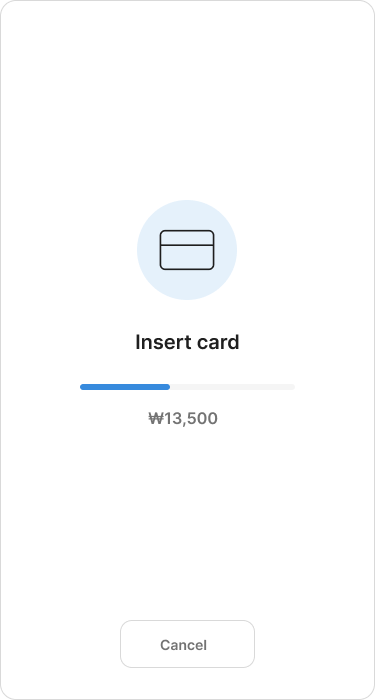
The second screen gives the users indication that they should insert their card into the machine. I also included feedback through the progress bar, so users know that the payment is being processed.

03
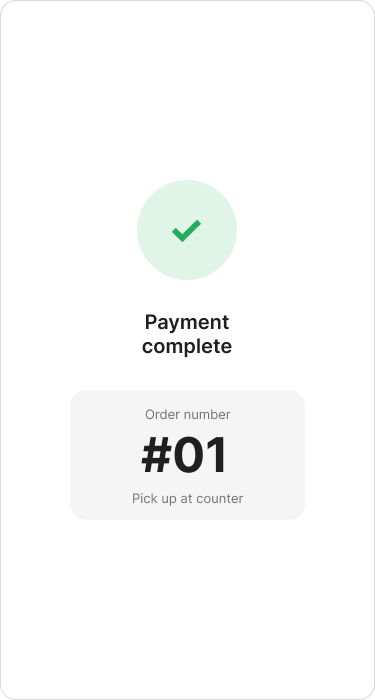
The final screen is another form of feedback, so users know their payment worked. It also gives the customer their order number, instead of placing the two on separate screens.

04
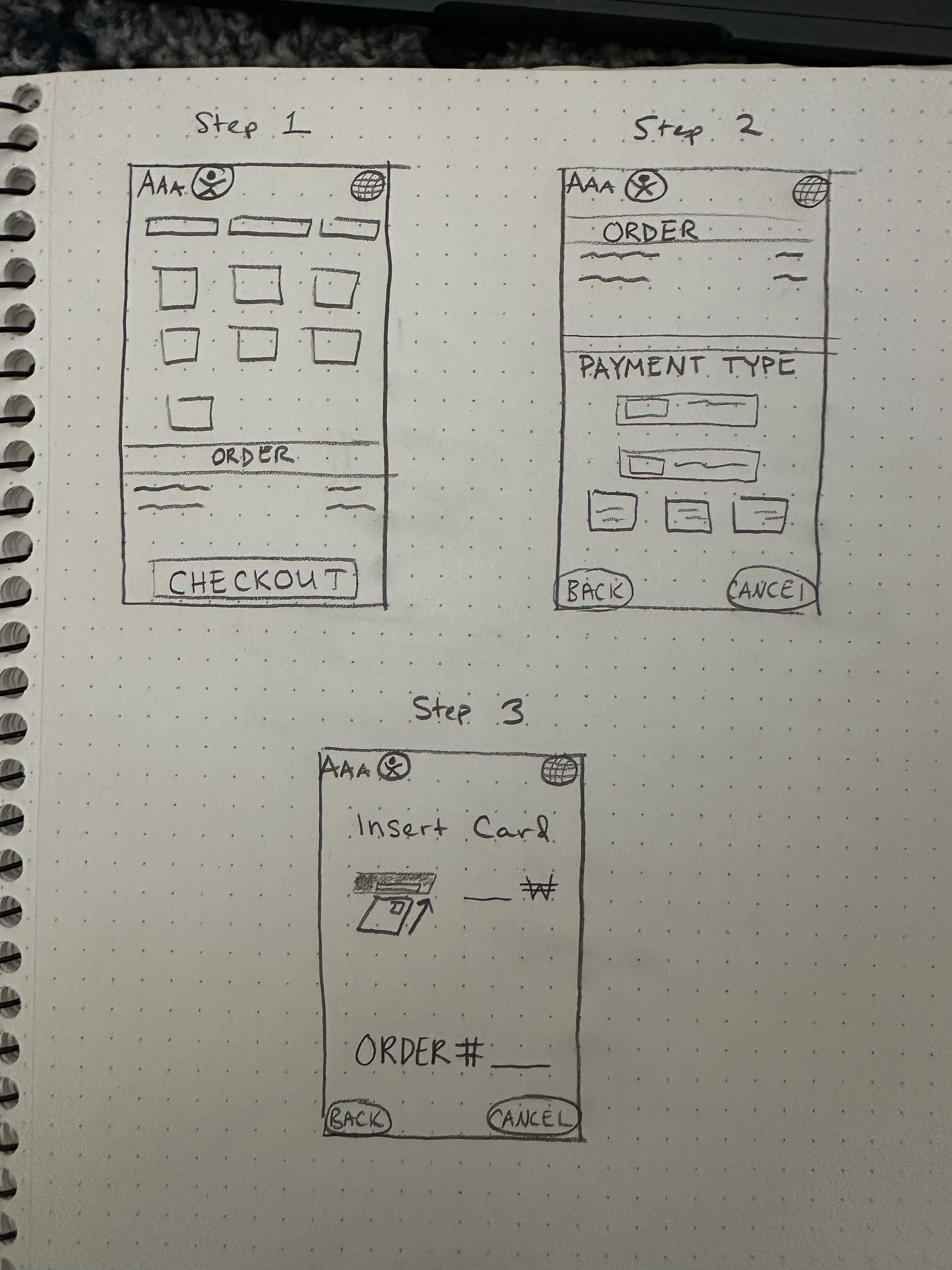
Here are some mock-up drawings of my original idea.
- The first screen includes the accessibility and language options at the top. Instead of separating the order summary, payment type, and order review into separate pages, I simplified the process and put it all on one screen. As you can see, the interactive buttons are also bigger to accommodate individuals with impaired vision.
- The second screen gives the users indication that they should insert their card into the machine. I also included feedback through the progress bar, so users know that the payment is being processed.
- The final screen is another form of feedback, so users know their payment worked. It also gives the customer their order number, instead of placing the two on separate screens.
- Here are some mock-up drawings of my original idea.
bottom of page